Your suitcase comes off the wrong belt, your keys fall out of a jacket on a train, or your laptop stays behind in a café. The finder would often like to give it back, but a smudged phone number, or no tag at all, makes that hard. With a QR code on the tag, they point their camera at it and your phone rings, or a chat with you opens.
The decisions that matter are what the code does, what it says about you, and whether it survives a baggage hall.
What to put in the code
A QR code holds one action. Pick the one that makes it easiest for a stranger to reach you while you travel.
WhatsApp chat. Often the best choice abroad. The finder does not pay for an international call, and you can read the message wherever you have Wi-Fi. Make it with the WhatsApp QR code generator and add a pre-filled message such as “Hi, I found your bag”, so the finder only has to tap Send.
Phone call. Works for people without WhatsApp. The phone call generator makes a code that shows your number with a Call button. Use the international format (+44, +1, +49…) so it works from any country.
Email. Fine for a laptop or camera, where a reply within a day is enough. The email QR code generator can pre-fill a subject like “Found your laptop”, so the message stands out in your inbox.
A short contact card. A vCard saves your details to the finder’s phone, so they can choose to call, text or email. Keep it to the minimum: first name, one phone number with country code, one email. Nothing else.
If you are unsure, use WhatsApp for luggage and a contact card for things you carry every day.
What to leave out: your home address
Do not put your home address in the code, and not on the tag either. A tag on a suitcase is visible to everyone in the check-in queue, the hotel lobby and the taxi rank. It tells them where you live and, by the fact that you are holding a suitcase, that you are not home. That is exactly the information you do not want to give out.
The same goes for the full name plus street combination in a vCard. A first name, a phone number and an email are enough for anyone honest to return your bag. If an airline or hotel needs your address, they will ask you directly.
Use a number you will have with you on the trip. If you switch to a local SIM abroad, a WhatsApp code tied to your usual number still works over Wi-Fi; a call to your home SIM may not reach you.
Add a line people understand
A bare square on a tag looks like an airline barcode. Put a few words next to it: “If found, please scan”. Without them, most finders will not think of trying.
The generator has a frame option with a short label under the code, which does this for you. Keep the label short so it fits a tag, and remember the frame makes the printed area a bit larger.
Not only for suitcases
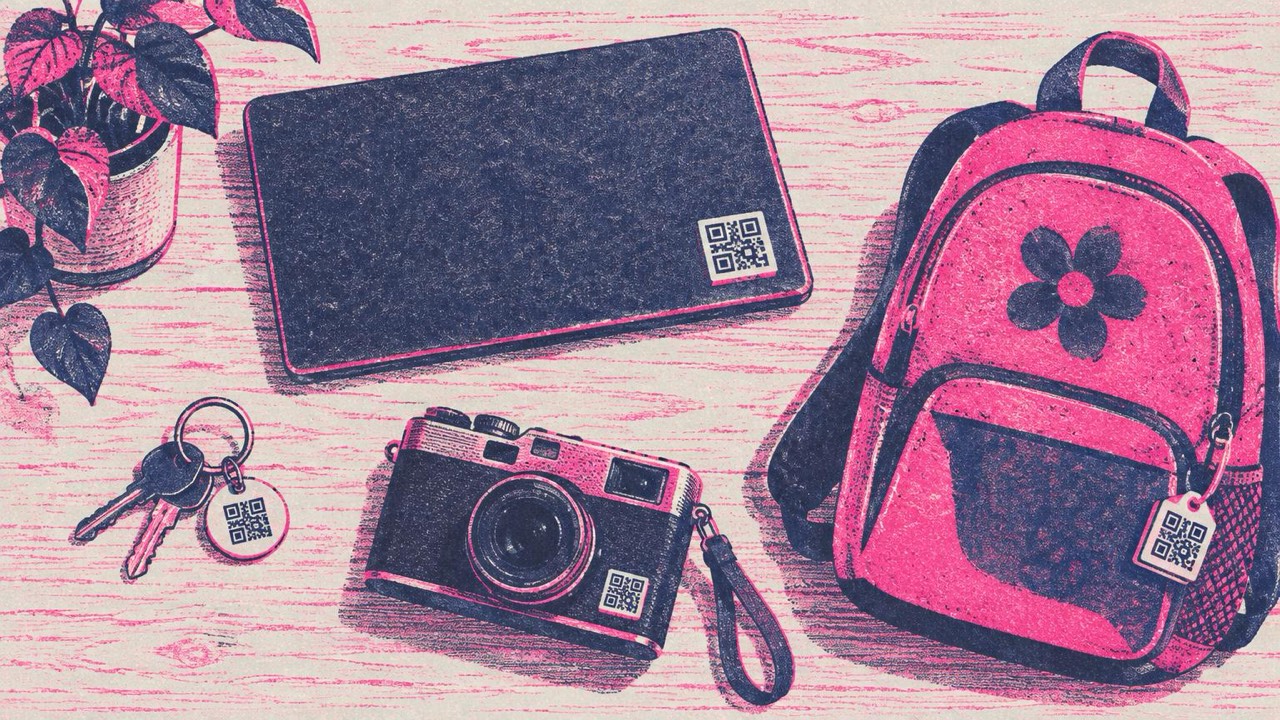
The same code works on anything you might lose while out and about:
- Keys. A small round tag on the keyring. Use a contact card or WhatsApp; never add your address to keys.
- Laptops and tablets. A sticker on the lid or under it. Email or WhatsApp works well here.
- Cameras, headphone cases, umbrellas. Anything with a flat surface for a sticker.
- Kids’ backpacks and lunch boxes. A parent’s phone or WhatsApp, not the child’s name and school. A code inside the flap is less visible to strangers and still easy for a teacher to find.
- Sports bags and instrument cases. These get left in changing rooms and on trains.
Use one code for everything, or one per item with a pre-filled message that names it (“I found your camera”).
Size, materials and durability
The print guide rule is that a QR code should be about one tenth of the scanning distance and never smaller than 2 cm (0.8 in). A luggage tag is usually scanned from 20–30 cm, so aim for about 3 cm wide. On keys, where space is tight, 2–2.5 cm is the realistic minimum.
Keep the content short. A phone number makes a simple code with large squares; a long vCard makes a dense code that fails sooner once the tag is scratched.
Protect the print:
- Laminate a paper tag. Print the code, cut it out and laminate it, or slide it into a tag with a clear plastic window.
- Sticker under clear tape. Use the Stickers layout in the print dialog, stick one on and cover it with a strip of clear packing tape. This works well on hard-shell cases, laptops and keyring tags.
- Matte, not glossy. Shiny lamination can reflect light at the wrong angle. If you have the choice, use matte pouches or tape.
- Dark on light. Keep the code black or navy on white. No pastel colours, no white code on a dark tag.
Download the code as SVG or high-resolution PNG and print at 100% (“Actual size”), not “Fit to page”.
Test before the trip
Before you pack, scan the finished tag with your phone and a friend’s. Check that the call screen shows your number with the country code, the WhatsApp chat opens with your message, or the email goes to an inbox you read. Scan again after laminating: a reflective cover is a common reason a good code stops scanning.
Codes from this site are static and never expire, but they cannot be edited. If you change your number, make a new tag. If your details change often, point the code at a page you control and update that page instead.
Checklist
- One action: WhatsApp, phone call, email or a short contact card
- Number in international format, one you can reach while travelling
- No home address, in the code or on the tag
- “If found, please scan” next to the code
- About 3 cm wide on bags, at least 2 cm on keys
- Dark code on a light background, protected by lamination or clear tape
- Scanned with two phones after it is finished, before you leave